For iPhone

A planner you can
actually talk to.

Calma keeps the routines you already decided on. You describe what you want to do in plain words; it works out when, turns it into tasks, and follows up by notification, by voice, or by ringing your phone.

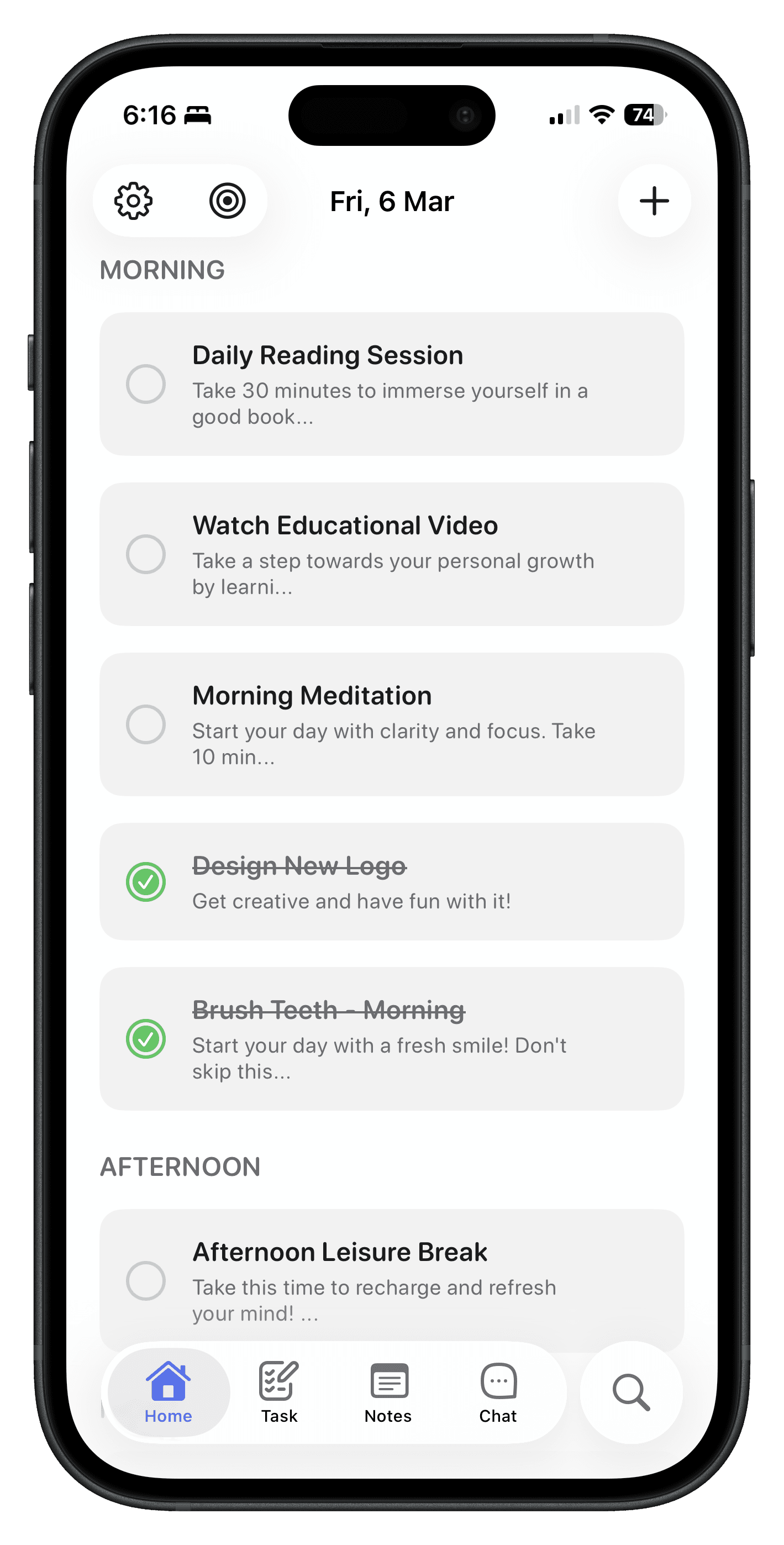
Calma's home screen, showing the day's tasks grouped into morning and afternoon

Why it exists

It started as a way to keep my own resolutions.

In January I wanted a way to track what I was changing that fit how I actually think, something I could talk to, not a grid of checkboxes.

Everything after that came from a problem I ran into myself. Nothing here was planned as a feature list.

What it does

Six parts, added one at a time.

  1. 01The chat

    Say it in a sentence. Get a time back.

    Describe what you want to do and Calma proposes when, then you confirm it or change it.

    The first thing it did, and the part I actually needed in January.

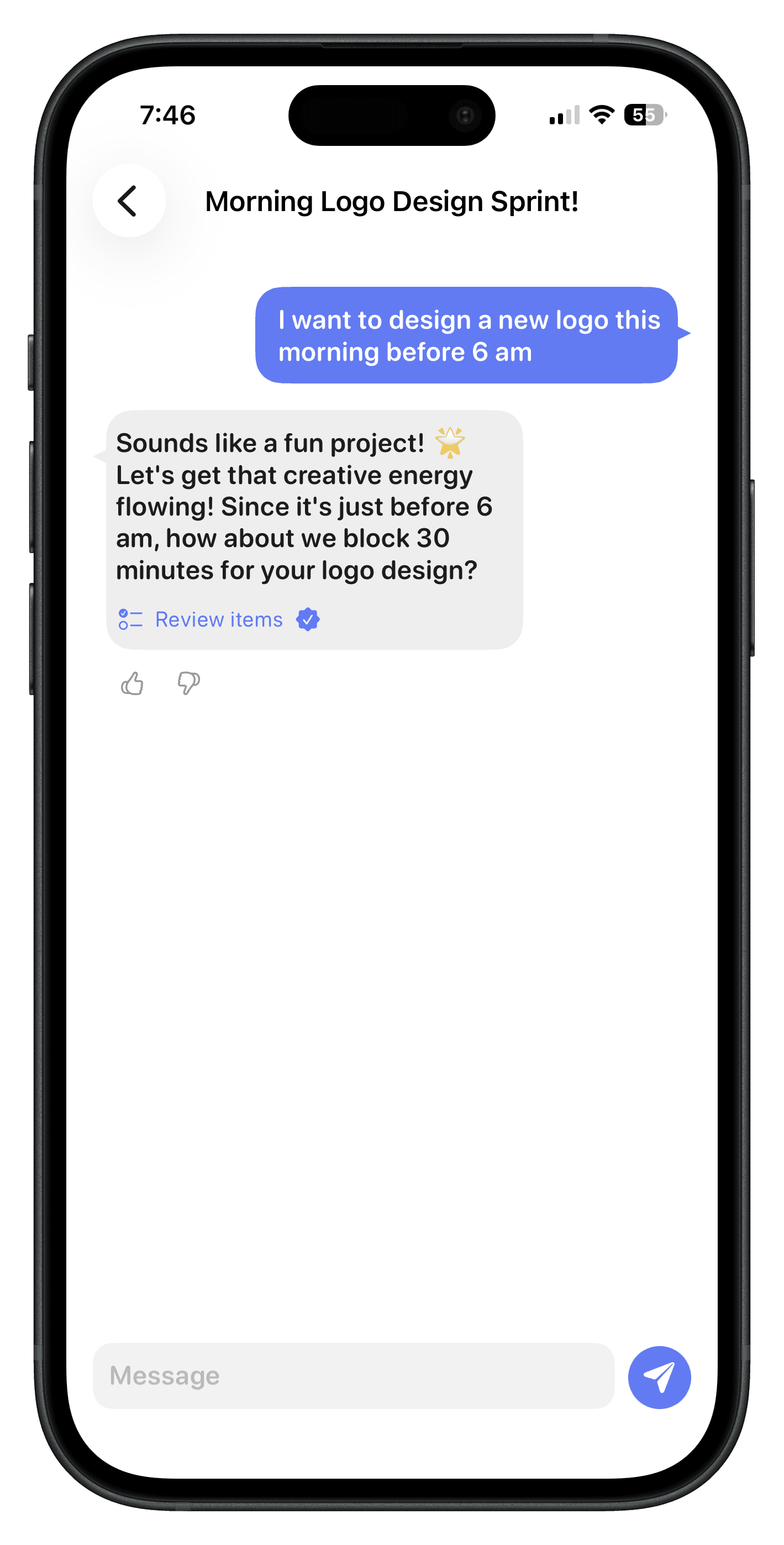
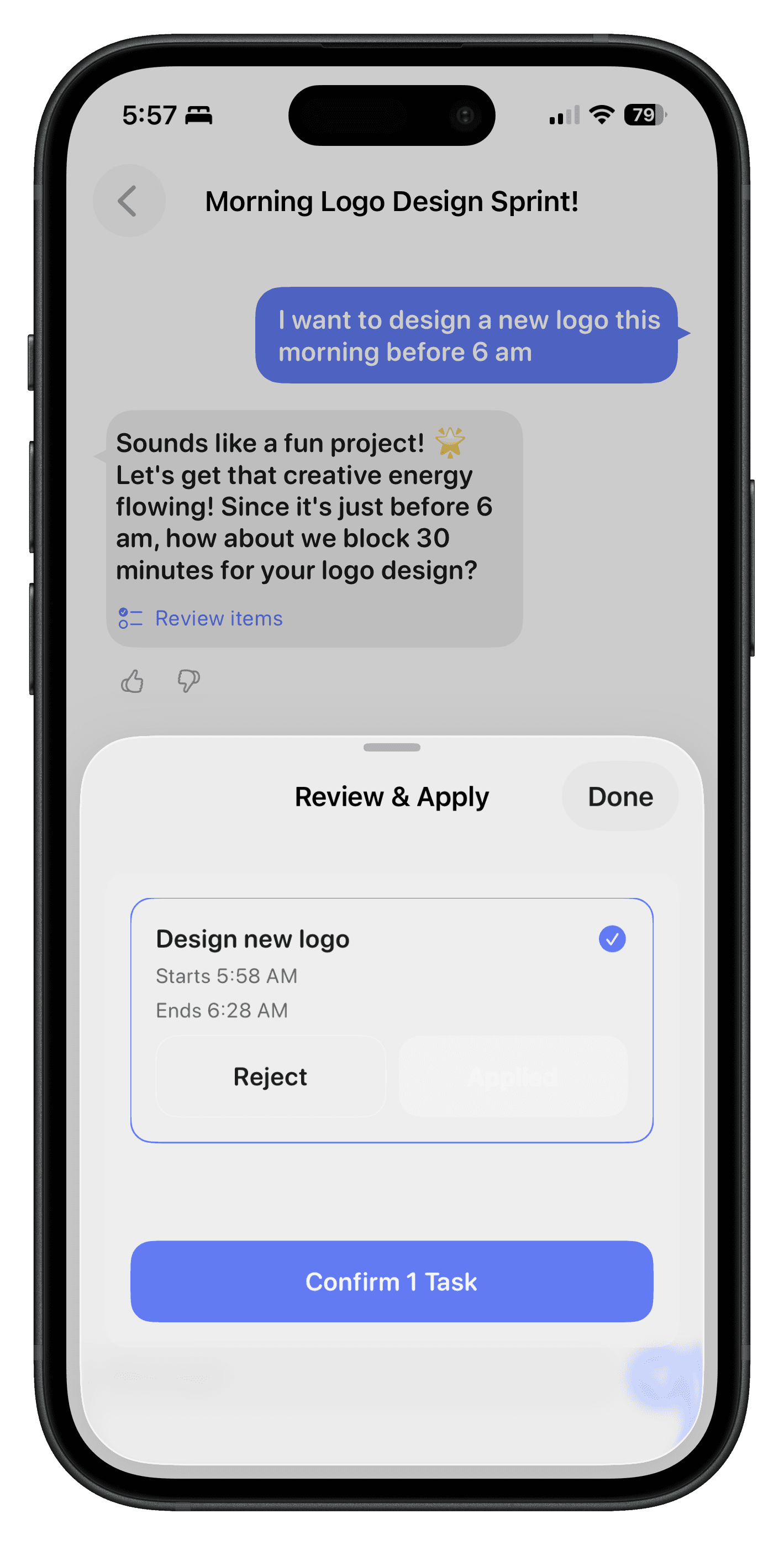
    Chat → Review and Apply

    A Calma chat where the user asks to design a logo before 6am and the assistant proposes a 30-minute task for review
    1. 1Your words, your timing.
    2. 2It proposes a block of time.
    3. 3Nothing is saved until you confirm.
  2. 02Plans

    Write the rule once. It makes the tasks.

    A standing instruction in plain words. When its condition comes round, the task appears in your day.

    Some things I did daily, some monthly. Re-entering them was the chore.

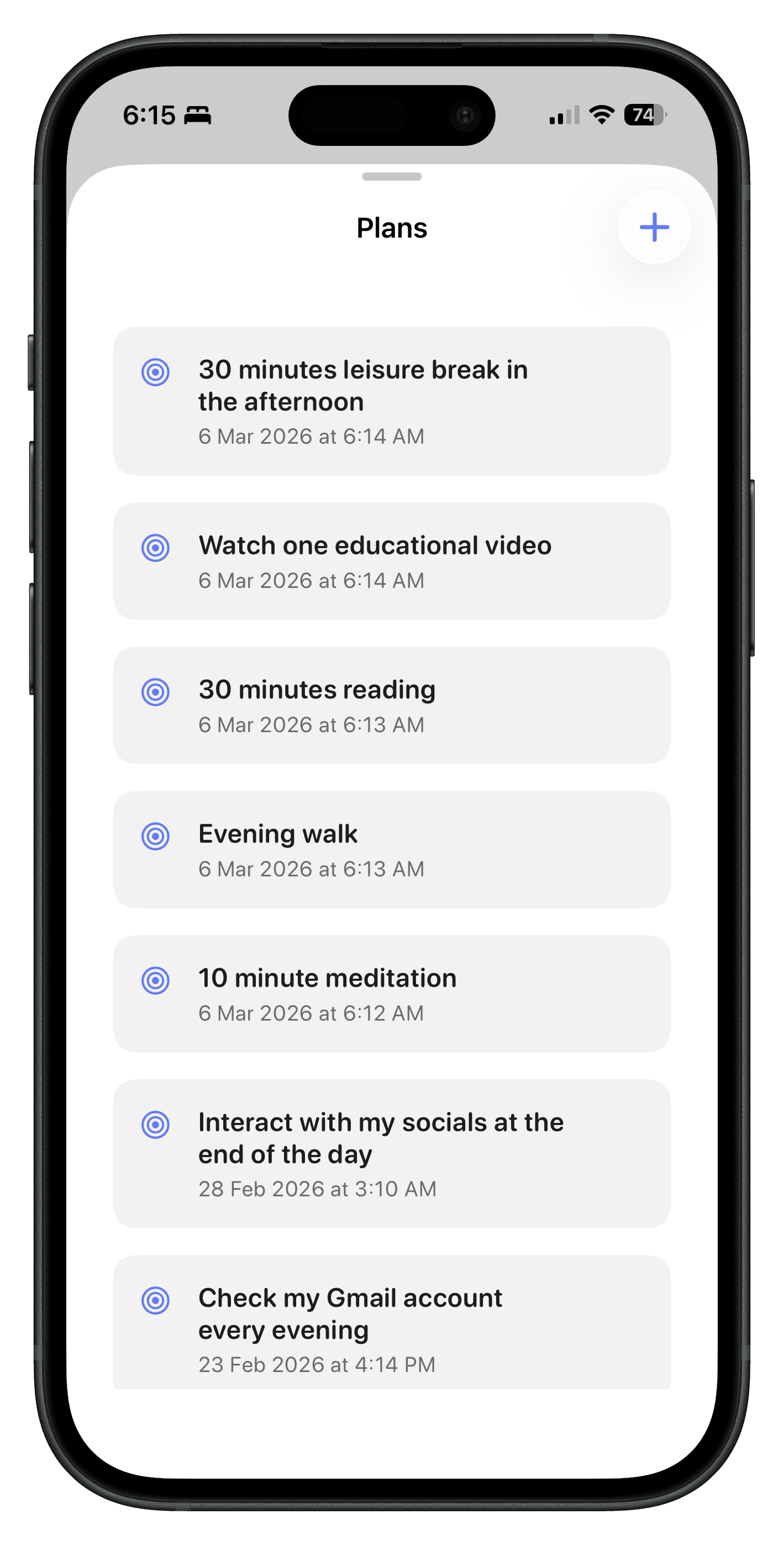
    Plans

    Calma's Plans list, showing recurring plans written as ordinary sentences
    1. 1Add one by describing it.
    2. 2A sentence, not a repeat picker.
    3. 3Kept apart from today's list.
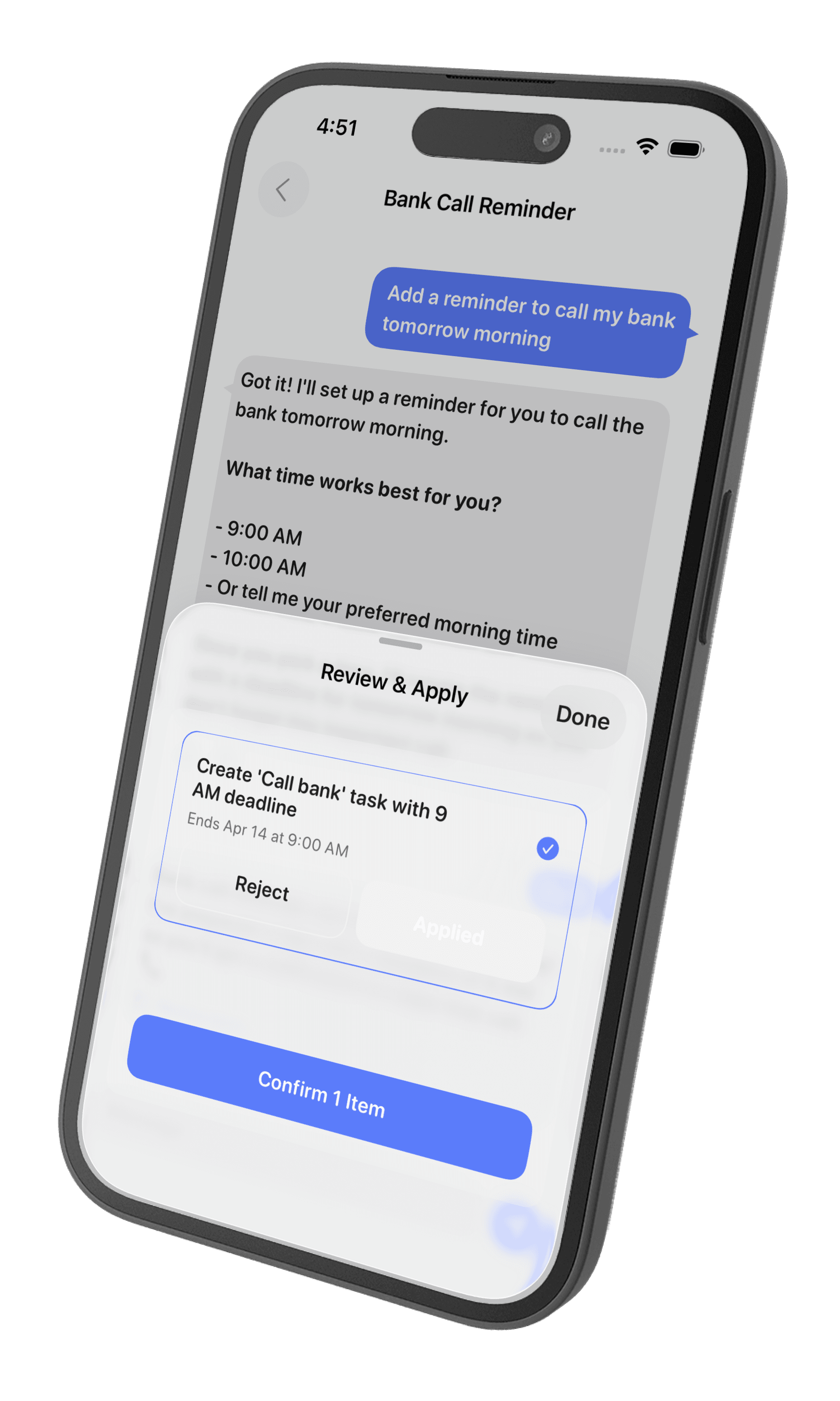
  3. 03Call reminders

    When a notification isn't enough, it rings.

    For medication, cutoffs, and the things you keep sliding, Calma places a real phone call instead of another banner.

    Suggested for people who are unwell and have to take medication on time.

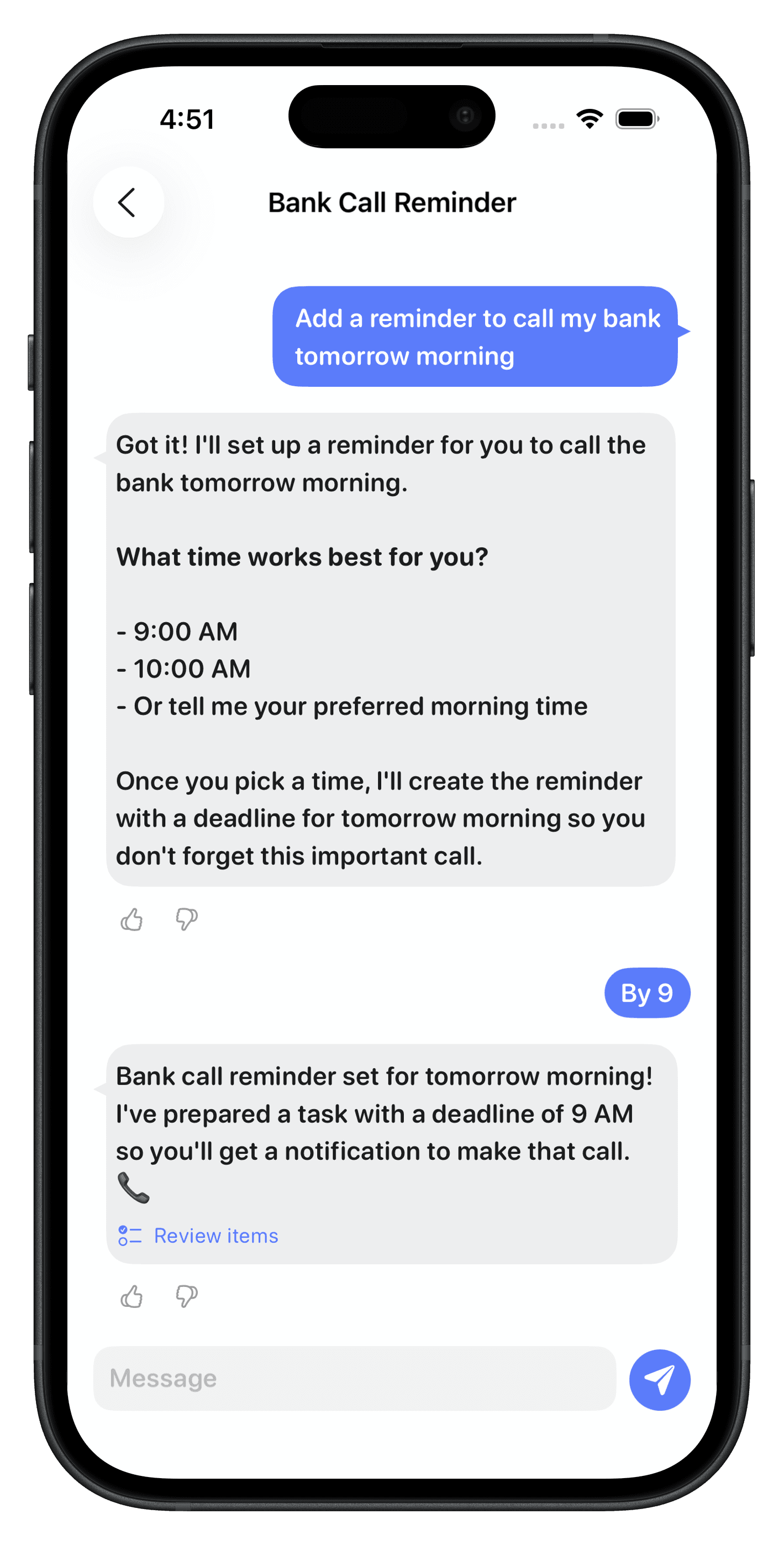
    Setting up a call reminder

    A Calma chat setting up a bank call reminder, where the assistant asks what time works and confirms a 9am deadline
    1. 1Ask like you would ask a person.
    2. 2It pins down the missing detail.
    3. 3Set with a real deadline.
  4. 04Weather triggers

    Some things depend on the day, not the clock.

    A plan can fire on a condition rather than a time, so on a clear day, nothing shows up at all.

    Rainy season came and I kept leaving my umbrella at home.

    How a weather trigger resolves

    plan “remind me to take an umbrella when it rains”

    Rain in today's forecastTake an umbrella
    Clear all dayNo task generated

    Checked each morning against the forecast where you are. Conditions combine, like the 1st of the month, but only if it is raining.

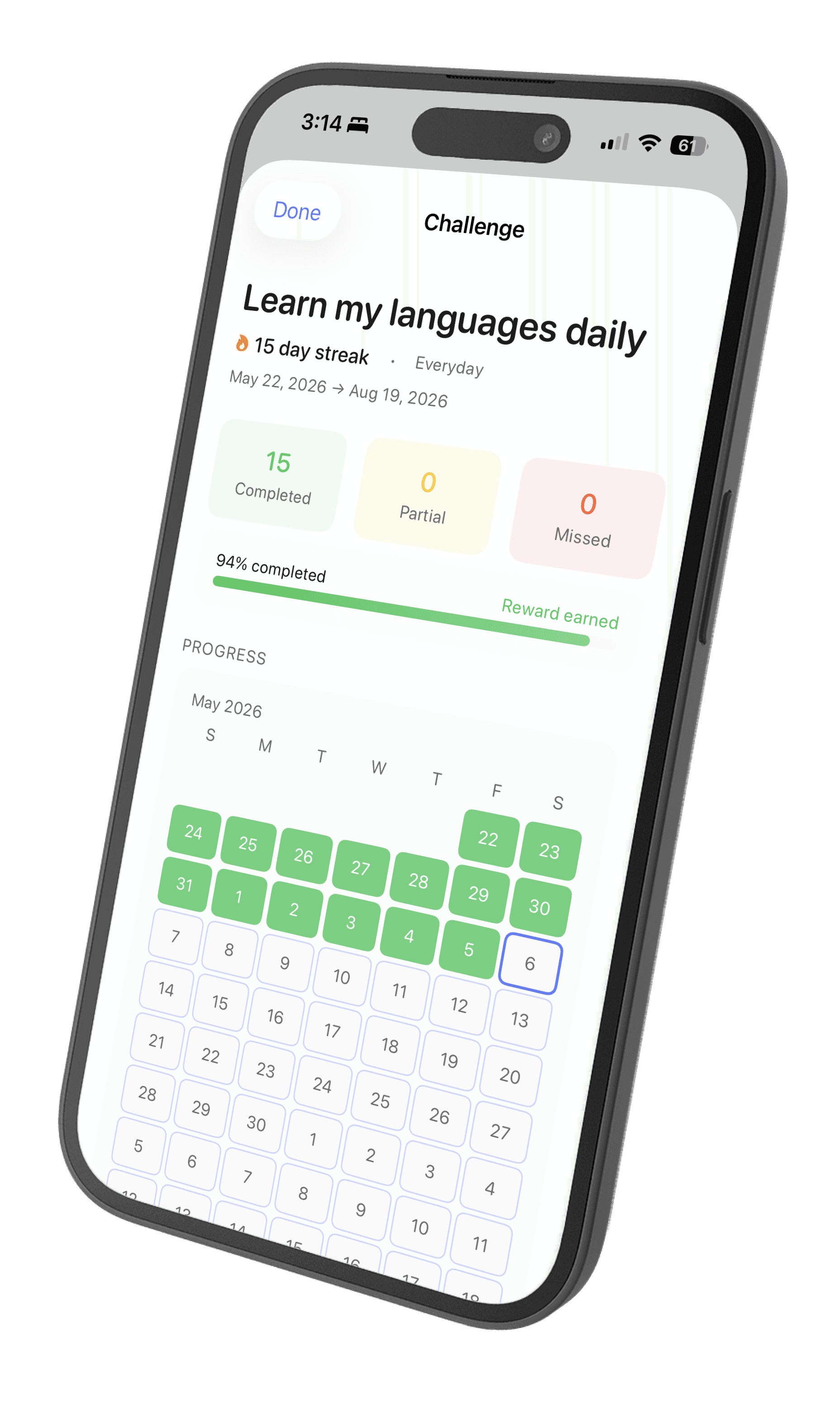
  5. 05Challenges

    A streak that survives one bad day.

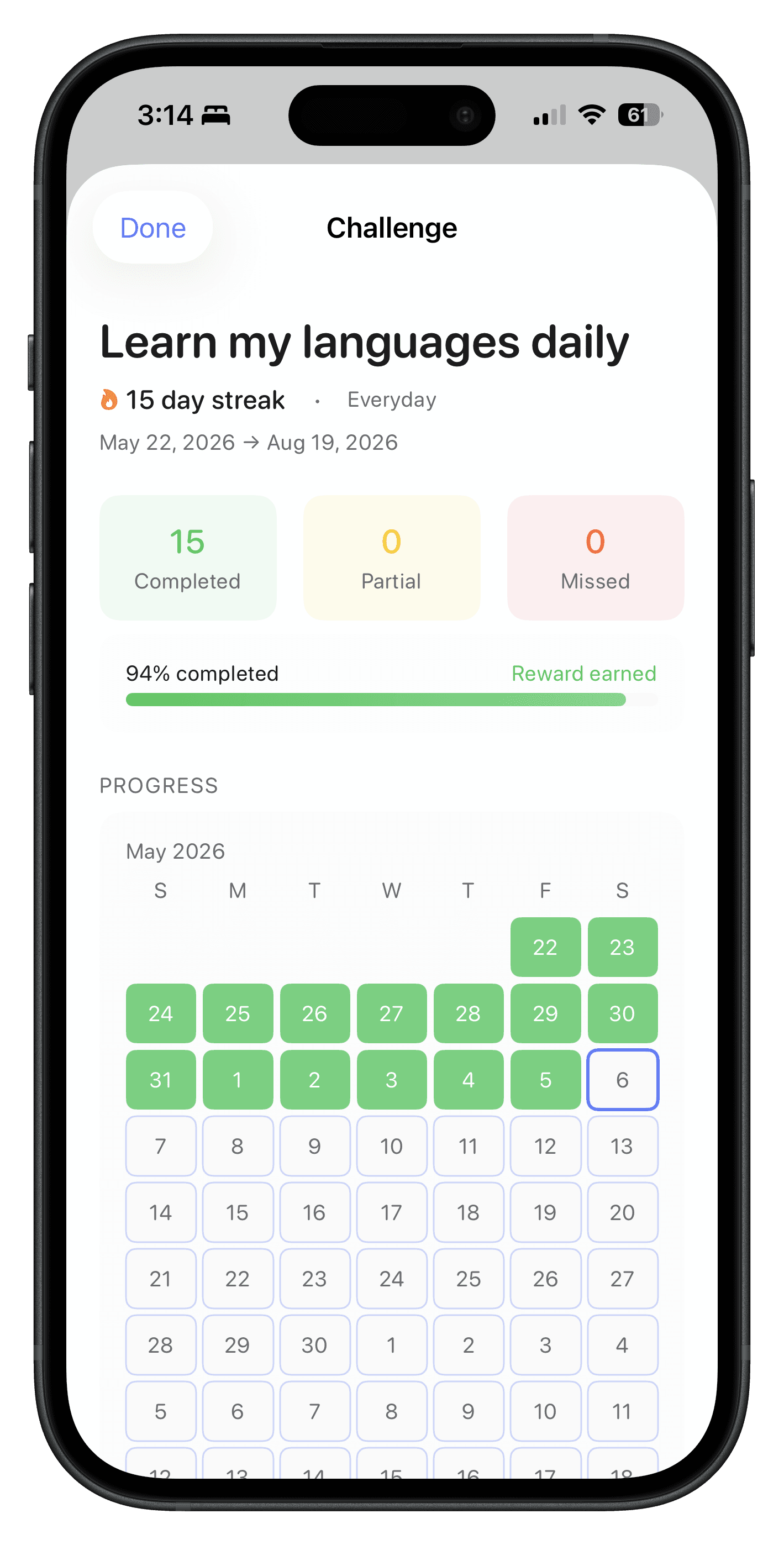
    Pick the plans that count and set a window; you are scored on the percentage you completed, not an unbroken run.

    Duolingo's streak kept me going, until I lost it once and stopped.

    Challenge detail

    A Calma challenge called Learn my languages daily, showing a 15 day streak, 94% completion and a calendar of completed days
    1. 1The streak still pulls you back.
    2. 2Completed, partial, missed.
    3. 3Scored by percentage, not perfection.
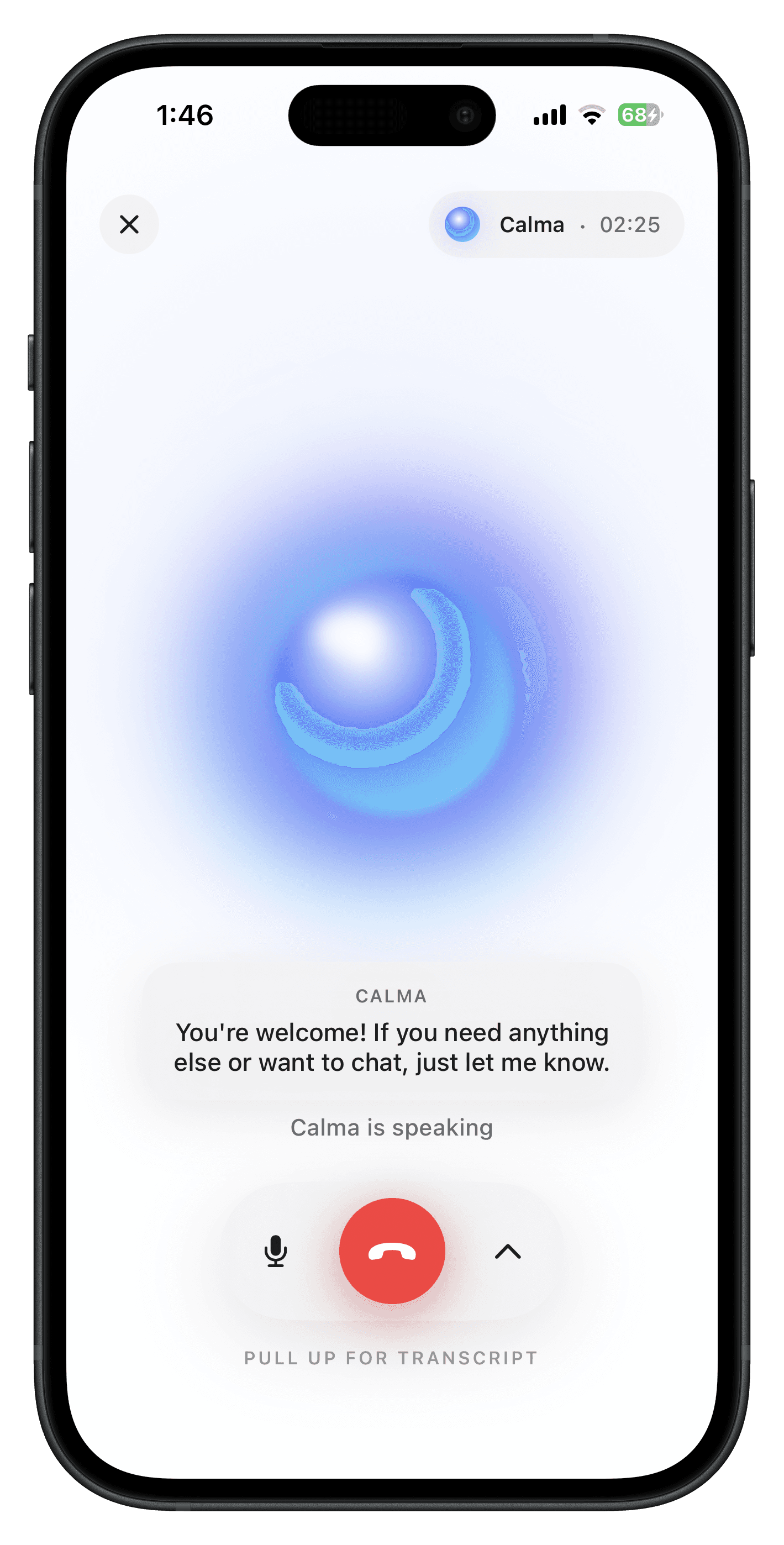
  6. 06Voice

    For when your hands are already busy.

    A real-time conversation about your plans, and anything you agree on becomes the same tasks.

    I didn't always want to type, usually because I was mid-something.

    Voice conversation

    A live voice conversation with Calma, showing the call timer, the current spoken line and the call controls
    1. 1A live call, not a recording.
    2. 2Transcribed as it speaks.
    3. 3Mute, hang up, read it back.

The rest of it

Smaller things, built for the same reason.

Tasks grouped the way you think
By date, or by project. Pending and completed are one tap apart rather than two screens apart.
Home screen widget
What is next, without opening the app.
Siri shortcuts
Add a plan or check the day hands-free. Built on App Intents, so it behaves like the rest of iOS.
Calma's task list grouped into projects named LystAI and Calma
Tasks, grouped by project

Built for one person first.
Open to everyone now.

Calma is on the App Store for iPhone, free for the first seven days. If something in it should work differently for how you live, the email below reaches me.